
Every currency in one ledger
USD, IQD, EUR, TRY, AED, GBP, IRR and CNY out of the box. Each office picks its default, and any movement can use any of them.
- USD
- IQD
- EUR
- TRY
- AED
- GBP
- IRR
- CNY

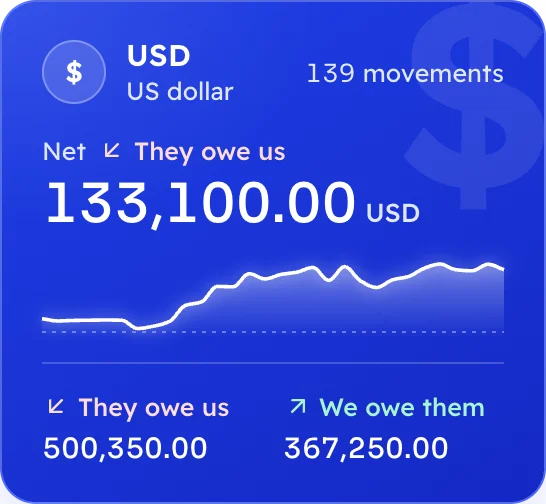
Furatex keeps every client balance, the daily cash book and your debts in each currency you trade, in Arabic or English, on your desktop or on the web.

Not generic accounting with currencies bolted on. Every screen speaks in clients, movements, fees and the day’s cash.
USD, IQD, EUR, TRY, AED, GBP, IRR and CNY out of the box. Each office picks its default, and any movement can use any of them.
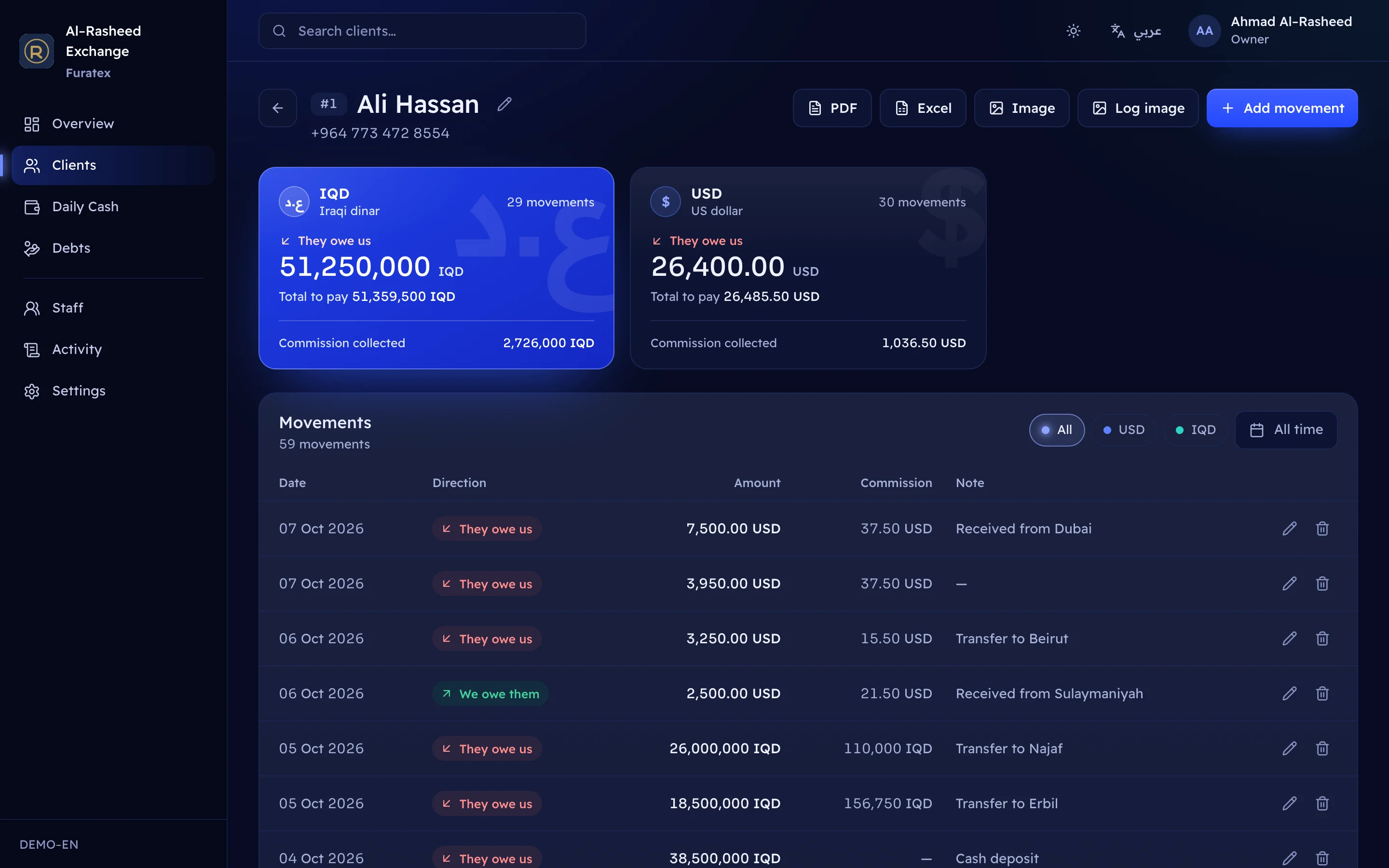
See at a glance who owes you and whom you owe, in each currency separately. Record movements with fees and notes.
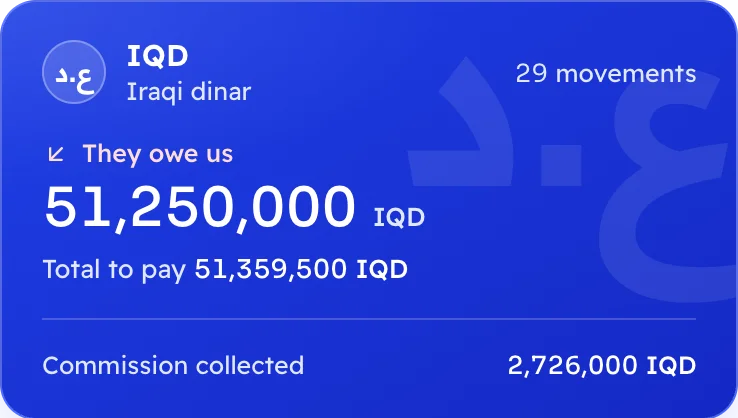
Money in, money out, and the closing balance per currency for any date range.

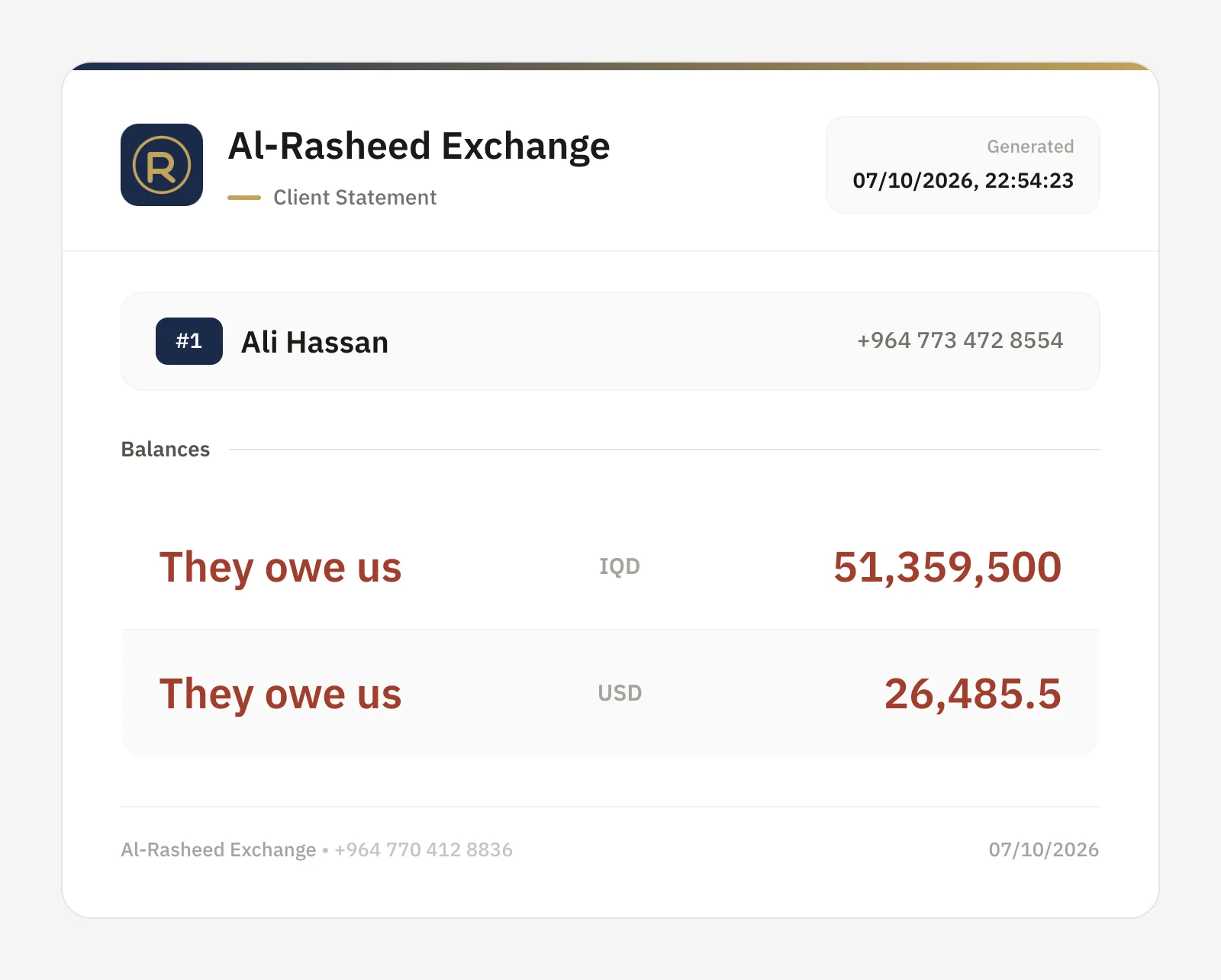
Turn a client’s account into an image to paste into a chat, share it from your phone, or save it as a PDF.
Keep informal debts apart from client accounts: owed to me, I owe, and mark them settled when they clear.
Take a client’s movements out to Excel or PDF when the accountant asks.
Real screens from the app. Switch the page language and they switch too.
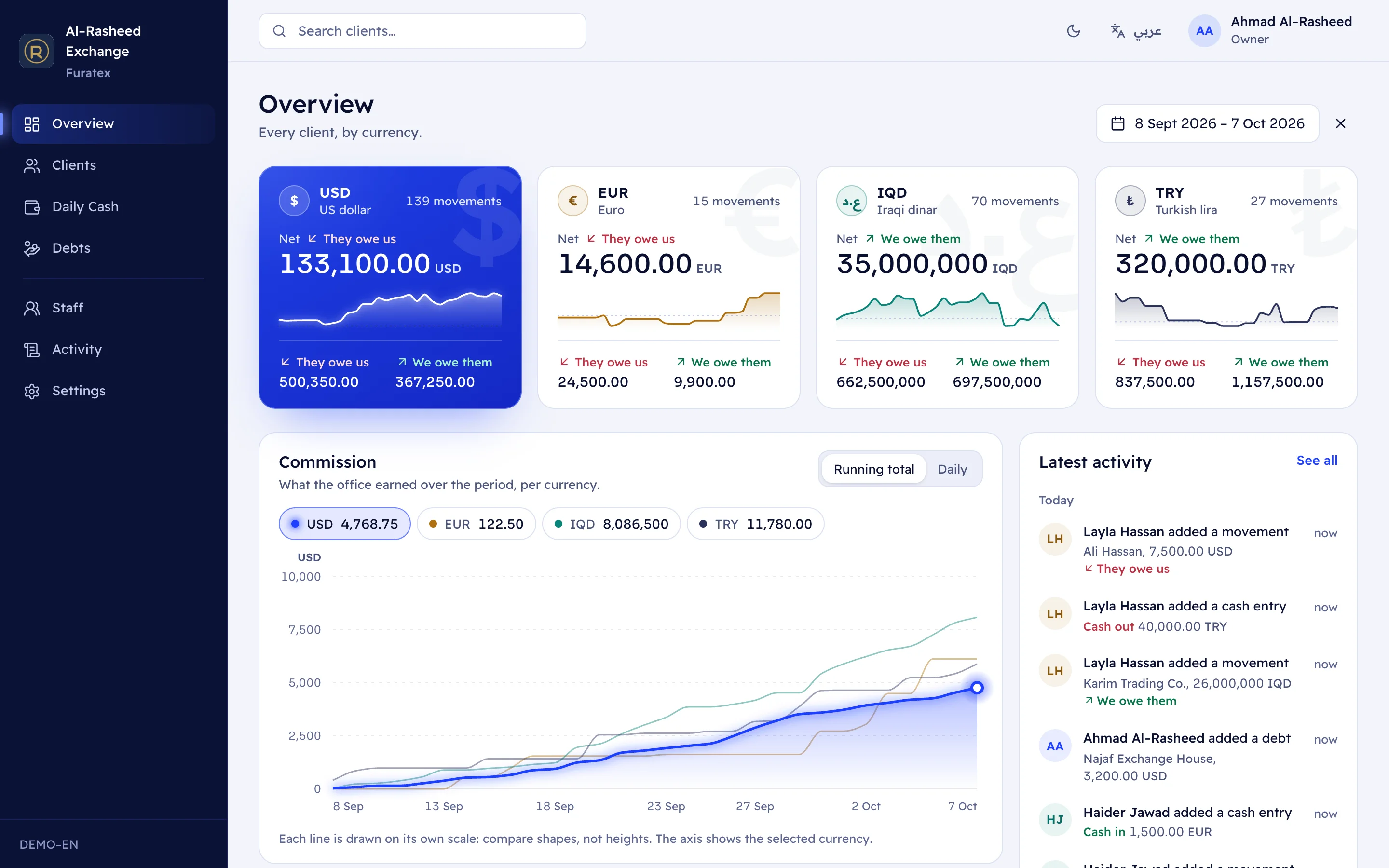
Totals for every currency over any period: owed to you, owed by you, and fees earned.
Not a translated menu. The whole interface mirrors right to left in Arabic, and amounts keep Latin digits so they read the same on every screen and every statement.
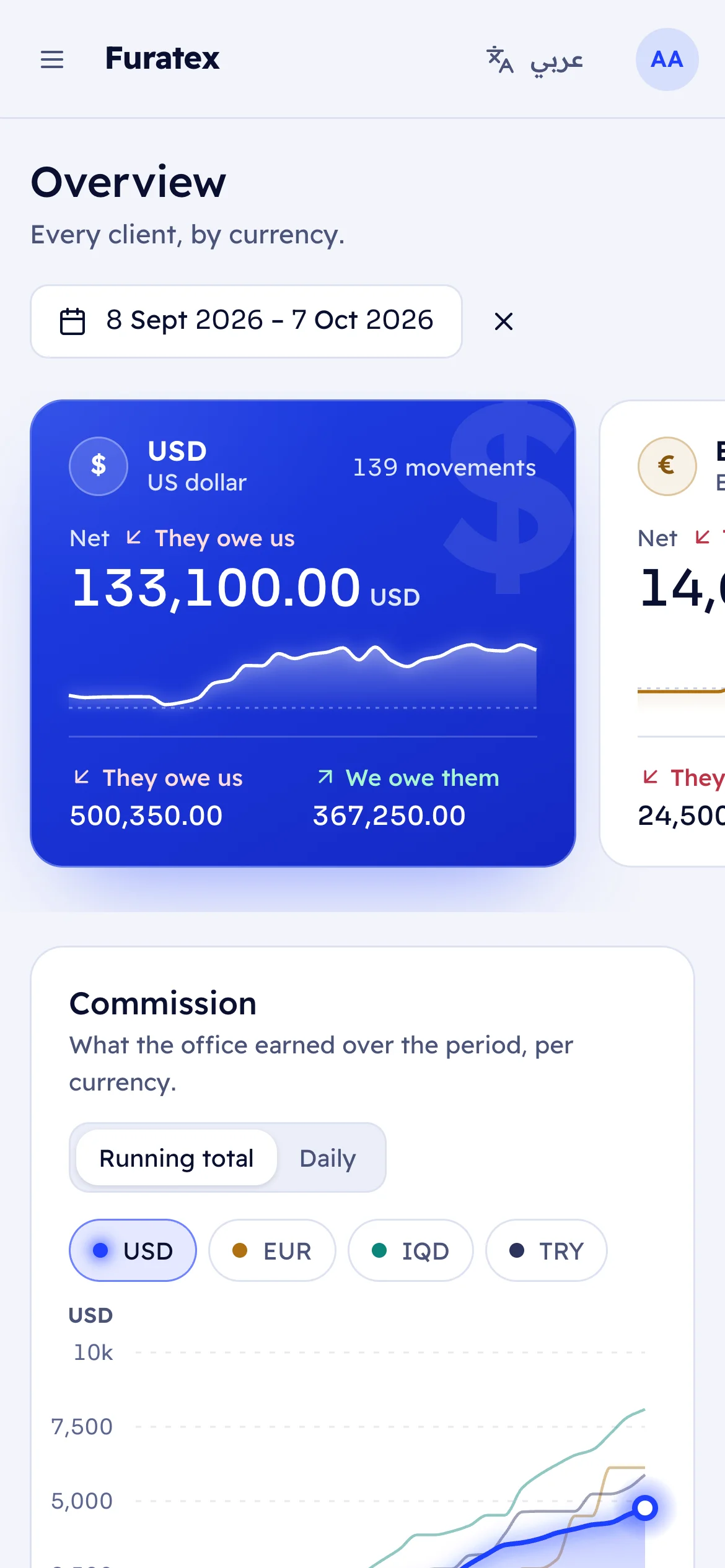
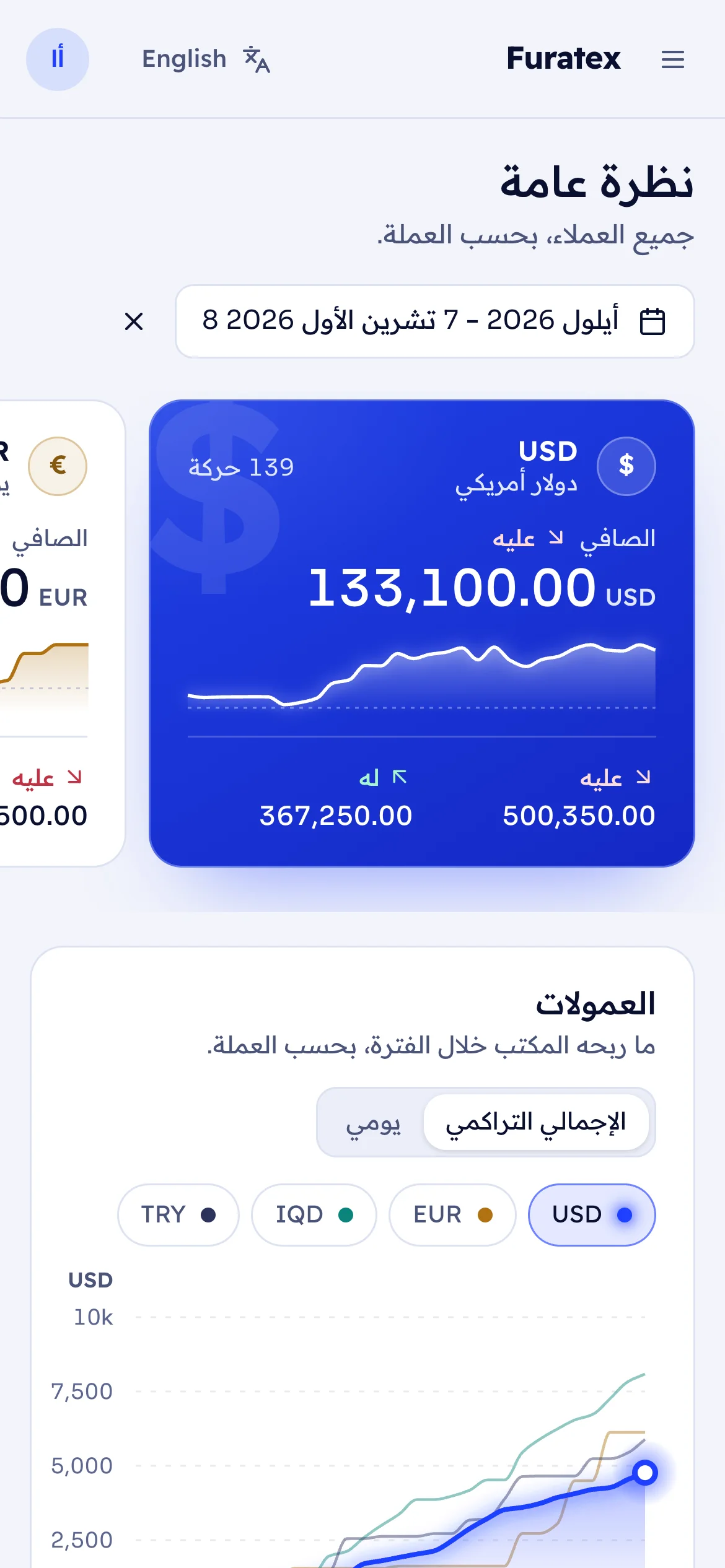
The parts you never see are the parts that matter most to an exchange office.
Every amount is stored as an exact decimal, never a floating-point number. Totals across 20,000 movements come out to the last digit.
On the web, each office’s data is separated twice: in every query, and again by the database itself. Even the platform operator cannot read your books.
Every create, edit and delete is logged with who did it and when. Owners see the full activity log.
Owners manage staff, settings and the activity log. Operators do the day’s work.
Attempts are rate-limited, and every failed sign-in gets the same answer, so nobody can probe for office codes or usernames.
Disabling a staff member or resetting a password signs them out everywhere, immediately.
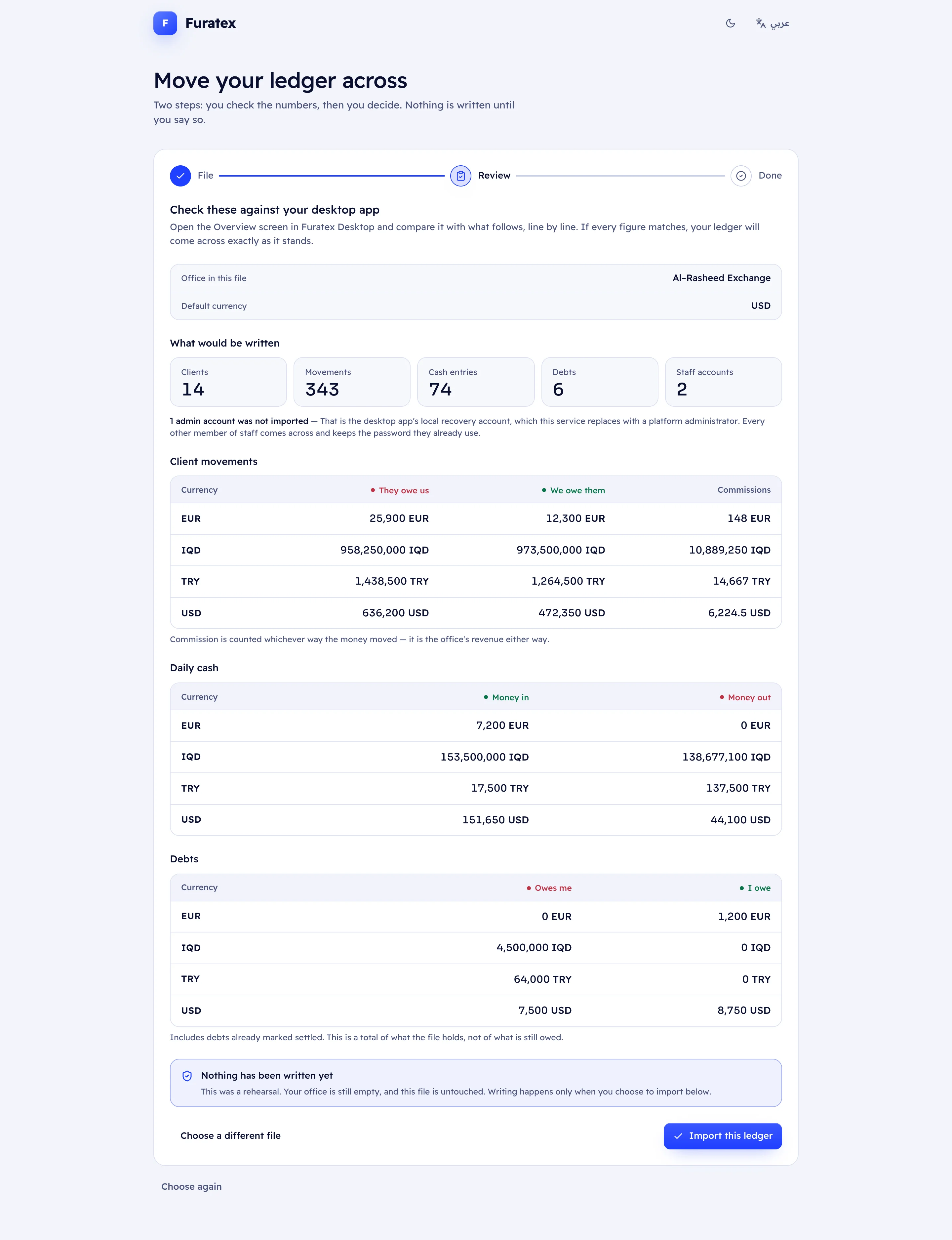
Moving over is the first step of setting up a web office, and nothing is written until you have checked the numbers yourself.
In the desktop app, open Settings and export your whole business: clients, movements, cash, debts and staff.
Upload it. Furatex checks every row and shows totals per currency, printed exactly as the desktop shows them, so you can compare line by line.
When the totals match, commit. The import is all-or-nothing: it either lands completely or not at all.
One file holds roughly 170,000 movements.
You only pay when you earn
Profit means the fee or commission you earn on a transaction, not the amount you exchange. No subscription, no setup fee.
Illustrative amounts. Your fees are whatever you charge.
No profit on a transaction, nothing to pay.
2% of your profit on each transaction, meaning the fee or commission you earn on it, not the amount exchanged. There is no subscription and no setup fee, so a transaction that earns you nothing costs you nothing.
Open the web app to set up your office, or move your desktop ledger across.